Local SEO
Google Business Profile for Contractors: The Setup That Gets Calls
How to set up and optimise a Google Business Profile as a contractor: categories, hours, photos, reviews and mistakes to avoid.
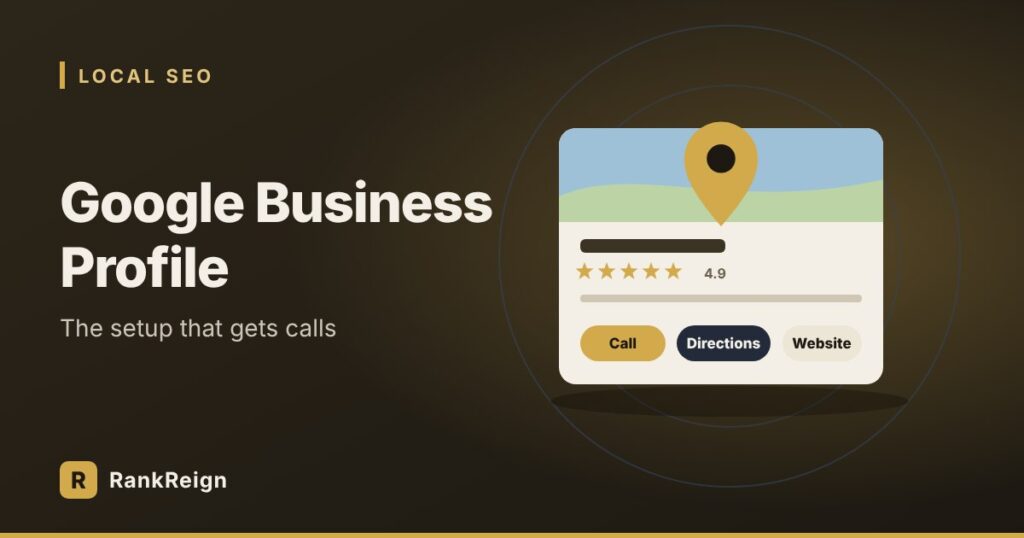
For most contractors, the Google Business Profile is the most valuable free asset online. It is the box on the map that shows your reviews, your phone number and a button to call. A homeowner can go from search to phone call without ever visiting your website. This guide covers Google business profile for contractors.
This guide shows how to set it up so it earns calls, what to put in every field, and the mistakes that get profiles suspended.
In short
- Whitespark’s 2026 Local Search Ranking Factors survey found 8 of the top 10 map-pack factors come from the profile itself, including primary category, hours, photos, posts and services (Harmo’s summary).
- Reviews and response speed gained importance in the same survey.
- Pick your primary category carefully. It is among the strongest signals you control.
- Use your real business name, accurate hours and honest service areas. Shortcuts risk suspension.
- Track calls from the profile, or you will never know what it is worth.
What the profile does for a contractor
Think of it as a mini website that Google controls. It shows:
- Your name, rating and number of reviews
- A call button, directions and your website link
- Photos of your work
- Your services and areas
- Your hours, including whether you are open now
For urgent trades such as plumbing, HVAC and water damage, many homeowners decide here and call straight from the map.
Step 1: Claim and verify
Search your business on Google Maps. If a profile exists, claim it. If not, create one. Google will ask you to verify, sometimes by video showing your vehicle, equipment and workplace. Have these ready.
If a former employee or a marketing company created the profile, ask for ownership transfer. You should always be the owner.
Step 2: Choose your categories
The primary category tells Google what you are. Pick the most specific one that fits your main job.
| Your main work | Example primary category |
|---|---|
| Roof repair and replacement | Roofing contractor |
| Heating and cooling | HVAC contractor |
| Leaks, drains, water heaters | Plumber |
| Kitchens and bathrooms | Kitchen remodeler |
| Wiring and panels | Electrician |
Then add a small number of secondary categories for real services. Do not add categories for work you do not do.
Step 3: Name, address and service area
- Name: your real business name, as on your signage and invoices. No keywords added.
- Address: if customers do not visit you, hide it and set a service area instead.
- Service area: the towns you really serve. A long list of far-away places does not help.
Step 4: Hours
Set regular hours. If you take emergency calls, set that clearly. Whitespark listed “business is open at time of search” among the top five map factors, so correct hours help you appear when it counts. Update holiday hours before holidays.
Step 5: Services and description
Add each service with a short plain description. Write the business description for a person: what you do, where, how long you have been doing it, and what customers can expect. Leave out links, phone numbers and sales slogans.
Step 6: Photos and video
Real photos are among the stronger factors in the survey. Upload:
- Your crew and vehicles
- Finished work, with before and after pairs
- Work in progress, safely shot
- Your logo and cover image
Add a few each month. Avoid stock photos. Homeowners can tell.
Step 7: Phone, website and tracking
Use a tracking number as your primary phone and your real number as secondary, so you can count calls from Google. Link to the most relevant page, which is often the service page rather than the home page. Add tracking parameters to the website link so you can separate profile visits from search visits in analytics.
Step 8: Reviews and replies
Ask at the end of every job with a direct link. Reply to every review. BrightLocal’s 2026 survey found 80% of consumers were more likely to use a business that replies to all reviews, and 31% would only use businesses rated 4.5 or higher. See how many reviews contractors need.
Step 9: Posts and updates
Post once or twice a month. Show a finished job, a seasonal tip or an offer. Posts are not magic, but they show the profile is alive and give homeowners one more reason to call.
Step 10: Questions and answers
Answer common questions yourself: Do you offer free estimates? Are you insured? Do you work weekends? Keep the answers short and accurate.
What homeowners notice on a profile
It helps to look at the profile the way a worried homeowner does. In a few seconds they check four things: the star rating, the number of reviews, whether the business looks like a real local company and whether it is open. Then they scan the photos and the most recent reviews.
BrightLocal’s 2026 Local Consumer Review Survey found 74% of consumers look for reviews written in the last three months, and 32% want reviews from the last two weeks. A profile with a great rating but nothing recent looks stale. A profile with fresh photos, recent reviews and quick replies looks alive.
Examples: weak versus strong profiles
| Field | Weak | Strong |
|---|---|---|
| Name | “Best Cheap Roofing Austin 24/7” | “Smith Roofing” |
| Category | General contractor | Roofing contractor, plus Gutter service |
| Description | “We are the best.” | Years in business, services, areas served, licence and insurance |
| Photos | A logo and one stock image | 30 real photos of crews and jobs, updated monthly |
| Reviews | 9 reviews, none replied to | 60 reviews, every one answered personally |
| Services | Empty | Each service listed with a short description |
Service-area businesses: what to know
Many contractors work at customers’ homes and do not welcome walk-ins. Google lets you hide your address and show a service area instead. Two cautions. First, never use a fake address to appear closer to the city centre. Second, be realistic about distance. Google tends to favour businesses near the searcher, so a company based in a small town may not rank well in a distant big city from one profile. If you truly operate from more than one real location, each needs its own profile with its own staff and signage.
How the profile connects to your website
The profile and the website work as a pair. The profile earns the click or call. The website closes the deal for homeowners who want more detail. Link the profile to the page that matches the search, make sure the phone number and name match exactly, and keep the services on the profile consistent with the pages on your site. Whitespark’s 2026 survey pointed to consistent business details and dedicated service pages among the factors that rose in importance.
Mistakes that get profiles in trouble
- Adding keywords to the business name. A common cause of suspension.
- Using a virtual office or a PO box as an address. Not allowed.
- Creating duplicate profiles for the same business.
- Listing a service area you do not serve.
- Asking for fake reviews or reviewing your own business.
- Changing key details often without a reason. Large edits can trigger re-verification.
What to do if your profile is suspended
Read the notice, fix the cause, then appeal through the profile’s help tools with proof of your business, such as a licence, insurance, signage photos and utility bills. Appeals can take days, so keep records tidy and make changes carefully.
How to measure the profile
Each month, record:
- Calls from the profile (using your tracking number)
- Direction requests
- Website clicks
- New reviews and your rating
- Booked jobs from those calls
If calls are rising and jobs are being booked, the profile is paying. If views are high but calls are low, check your reviews, photos and phone number.
Next step
If you want a profile that is built, kept up to date and tracked for you, see our local SEO and Google Business Profile service. You can also start with the local SEO checklist for contractors, or talk to us.
Google business profile for contractors: frequently asked questions
How do I optimise a Google Business Profile for a contractor?
Choose the right primary category, use your real name, set accurate hours and service areas, list each service, upload real photos, add a tracked phone number and collect and answer reviews.
Can I hide my address on Google Business Profile?
Yes, if you serve customers at their location. Hide the address and set a service area. Never use a fake address.
Why was my Google Business Profile suspended?
Common causes are keywords in the business name, a virtual or PO box address, duplicate profiles and misleading details. Fix the cause and appeal with proof of your business.
Keep Reading

How Much Do Exclusive Contractor Leads Cost? Compare by Booked Job
Lead prices by trade, how platforms charge and how to judge exclusive leads by cost per booked job, with a worked example.
Windows and Doors Marketing: Get Quote Requests, Not Tire-Kickers
How window and door companies attract serious quote requests: honest pricing, installation proof, local search and a 60-day follow-up.
Water Damage Restoration Marketing: How to Win the First Call
Restoration jobs go to the company that answers first. How to be answerable, visible and trusted when a homeowner is in a crisis.
Ready to Own Your Market?
Book a strategy call. We will look at how enquiries reach your business today and where the system leaks, then give you a straight recommendation.