Landing Pages
Landing Pages for Contractors: A Step-by-Step Build Guide
Build a contractor landing page that converts: one offer, message match, a short form, proof, speed and tracking, with a pre-launch checklist.
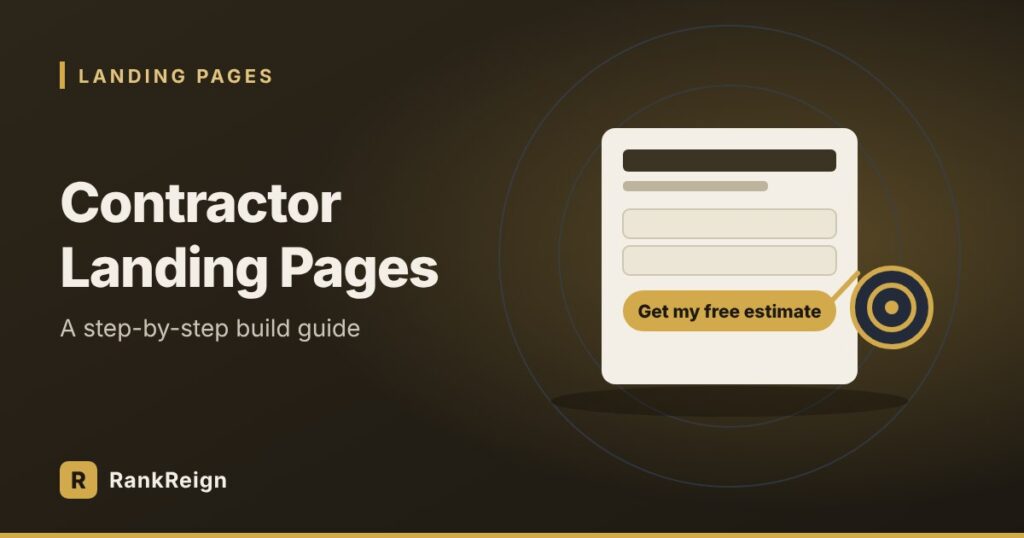
A landing page for a contractor is a single page built around one offer and one action. Unlike your home page, it does not try to tell your whole story. It takes someone who clicked an ad or a link, answers their question and gets them to call or fill in a short form.
This guide walks through how to build one, step by step, with the benchmark data that exists and a checklist you can use before you launch.
In short
- Unbounce’s 2024 Conversion Benchmark Report analysed 4,372 home improvement landing pages and found a median conversion rate of 2.6%, with the top quarter reaching 19.5%. Home services pages performed about 1.5 times better than the home improvement baseline, while renovation pages underperformed.
- WebFX’s 2026 benchmarks put average conversion at 7.8%, with plumbing and pest control at 12 to 15% and roofing, HVAC and remodeling at 3 to 7%. The gap between trades is large, so compare yourself to your own trade.
- One page should have one goal. Pages that try to do several things usually do none well.
- Message match matters: the page should repeat what the ad or link promised.
- The page is only as good as your follow-up. See speed to lead.
Sources: Unbounce home improvement benchmarks and WebFX home services marketing benchmarks.
Landing page or website page: what is the difference?
A normal service page lives on your site, has full navigation and serves search visitors and browsers. A landing page is built for one source of traffic, usually paid ads, and removes distractions.
| Feature | Service page | Landing page |
|---|---|---|
| Main goal | Inform and rank | Convert one action |
| Navigation | Full menu | Minimal or none |
| Traffic | Organic, direct, referral | Ads, email, QR codes |
| Content | Detailed | Focused on one offer |
| Number of calls to action | Several | One main action, repeated |
Many contractors use their service pages as landing pages. That can work if the page is focused and fast. But ads usually perform better with a page that matches the ad’s promise exactly.
Step 1: Choose one offer and one audience
Pick a single service in a single area. “Roof repair in Austin” is a landing page. “Roofing, gutters, siding and windows” is a mess.
Then choose the offer. Options include:
- A free inspection or estimate
- An emergency response
- A seasonal tune-up
- A same-week booking
- A financing offer
Avoid offers you cannot honour. A promise of a callback in 15 minutes only works if someone actually calls.
Step 2: Match the page to the ad
Message match means the headline repeats what the visitor clicked. If the ad says “24/7 Emergency Plumber in Dallas”, the page should open with that, not “Welcome to Smith Plumbing”.
| Ad says | Page headline should say |
|---|---|
| “Roof repair in Austin, free inspection” | “Roof Repair in Austin. Free Inspection.” |
| “Emergency AC repair tonight” | “Emergency AC Repair. Call Now, We Answer 24/7.” |
| “Bathroom remodel, free design consult” | “Bathroom Remodeling. Book a Free Design Consult.” |
Step 3: Write the first screen
The first screen needs five things, visible without scrolling on a phone:
- Headline: the service, the place and the offer
- Sub-headline: one line on how it works or why to trust you
- Call button: tap to call, with the number as text
- Short form or form button
- One proof point: star rating, licence, years or guarantee
Keep the design clean. A good photo of a real crew or finished job helps more than a stock image.
Step 4: Add the supporting sections
Below the first screen, answer the questions in a homeowner’s head, in this order:
- What you do and what is included
- How it works, in three to five steps
- Proof: reviews, photos, licence and insurance
- Price guidance: what affects cost, and a range if you can
- Frequently asked questions
- Service area
- A final call to action
Keep it short. A landing page that scrolls forever loses people.
Step 5: Make the form short and clear
For most contractors, four fields are enough: name, phone number, town and what they need. Additional questions help qualify leads but lower conversions, so add them only if you really use them.
- Label fields clearly
- Make the button say what happens: “Get My Free Estimate”
- Tell people what happens next: “We will call you within 15 minutes”
- Add a phone number next to the form for people who prefer to talk
- Confirm submission on a thank-you page, which also helps tracking
Step 6: Add trust that is checkable
Replace vague claims with specifics.
- A star rating with the number of reviews and a link
- Two or three short reviews that mention the job and the town
- Licence number and proof of insurance
- Manufacturer or trade certifications that matter to buyers
- Photos of real work
- A guarantee you can honour, stated plainly
BrightLocal’s 2026 survey found 68% of consumers require at least 4 stars and 74% weigh reviews from the last three months most. Use recent reviews.
Step 7: Make it fast and mobile-first
Design for the phone first. Most ad clicks for local services happen on mobile. Check:
- The call button is large and easy to tap
- Text is readable without zooming
- Images are compressed
- The page loads in around three seconds on mobile data
- The form works with autofill
Google’s Core Web Vitals “good” thresholds are a largest contentful paint of 2.5 seconds or less, an interaction to next paint of 200 milliseconds or less and a cumulative layout shift of 0.1 or less.
Step 8: Set up tracking before you spend
Without tracking, you cannot learn from the page. Set up:
- Call tracking, using Google’s call conversion options or a call tracking service. See call tracking for contractors.
- Form submission tracking, on the thank-you page or by event
- Click-to-call tracking on mobile
- Source tracking, with consistent campaign names
- A way to record booked jobs, so you can calculate cost per booked job
Step 9: Test one thing at a time
Once the page works, test improvements. Change one element, run it long enough to learn something and keep the winner.
Good things to test:
- The headline
- The offer, such as free inspection versus same-day estimate
- The form length
- The main image
- The call button text and position
With small budgets you will not get statistically clean results quickly, so focus on big changes, not button colours.
Step 10: Follow up fast
A great page that gets slow follow-up wastes money. Decide who answers calls, who replies to forms and how quickly. We explain why in speed to lead and how to avoid leaks in missed calls are costing you jobs.
Pre-launch checklist
| Item | Done? |
|---|---|
| One service, one area, one offer | |
| Headline matches the ad | |
| Call button visible on first screen | |
| Form has four or five fields | |
| Real photos, no stock only | |
| Reviews and licence shown | |
| Page loads fast on mobile | |
| Thank-you page and tracking work | |
| A test call and test form were completed | |
| Someone is ready to answer |
An illustrative example
Say a roofer spends $1,500 on a landing page campaign and gets 600 visits. If 3% become enquiries, that is 18 enquiries at about $83 each. If the page improves to 5%, that is 30 enquiries at $50 each. The extra 12 enquiries cost nothing in ad spend. These figures are illustrative, not benchmarks. The lesson is that page improvements compound every ad dollar.
A note on seasonal and emergency pages
Some landing pages should be built ahead of a season, and some should be ready to switch on at once. A storm-damage page, a furnace-failure page or a pre-summer tune-up page can sit ready and go live the day demand spikes. Write them early, test the form and tracking and keep the offer simple. When the rush arrives, you only need to turn the campaign on, not build a page under pressure. Remove or pause pages when you cannot serve the demand, so you never pay for visitors you cannot help.
Common mistakes
- Sending ad traffic to the home page.
- Too many choices and links.
- A headline that does not match the ad.
- A long form.
- No tracking.
- No one answering.
A 30-day plan
- Week 1: pick one service and area, write the offer and set up tracking.
- Week 2: build the page and test it on a phone.
- Week 3: launch with a small budget and check calls and forms daily.
- Week 4: review the numbers and test one improvement.
Next step
If you want landing pages built and tracked, see our contractor websites service and our Google Ads service, or talk to us.
Frequently Asked Questions
What is a landing page for a contractor?
A single page built around one service, one area and one action, used for ads or links, with minimal navigation and a headline that matches the ad.
What is a good landing page conversion rate?
Unbounce’s 2024 report found a median of 2.6% for home improvement pages and 19.5% for the top quarter. Compare yourself to your own trade and traffic source.
How long should a contractor landing page form be?
Four or five fields is usually enough: name, phone, town and what they need. Add questions only if you will use the answers.
Keep Reading

Best CRM for Contractors: What to Look For Before You Buy
What a contractor CRM must do, the ten features to check, questions for vendors and a 30-day setup plan.
Call Tracking for Contractors: Know Which Marketing Brings Jobs
How contractors track calls with Google's tools or a call tracking service, what to record and how to judge sources by cost per booked job.
What a Contractor Website Needs to Turn Visitors Into Calls
Nine fixes that make a contractor website produce calls: phone number, clear headline, service pages, proof, short forms and speed.
Ready to Own Your Market?
Book a strategy call. We will look at how enquiries reach your business today and where the system leaks, then give you a straight recommendation.